Rhino to render: the back of the curved house from a Shaded view
The input was a Rhino Shaded view of the back of the curved house, with a beige wall and a grey roof. RendScene kept the camera and added light render, a metal roof and lawn.
Input: 3D modelFeature: 3D model to render
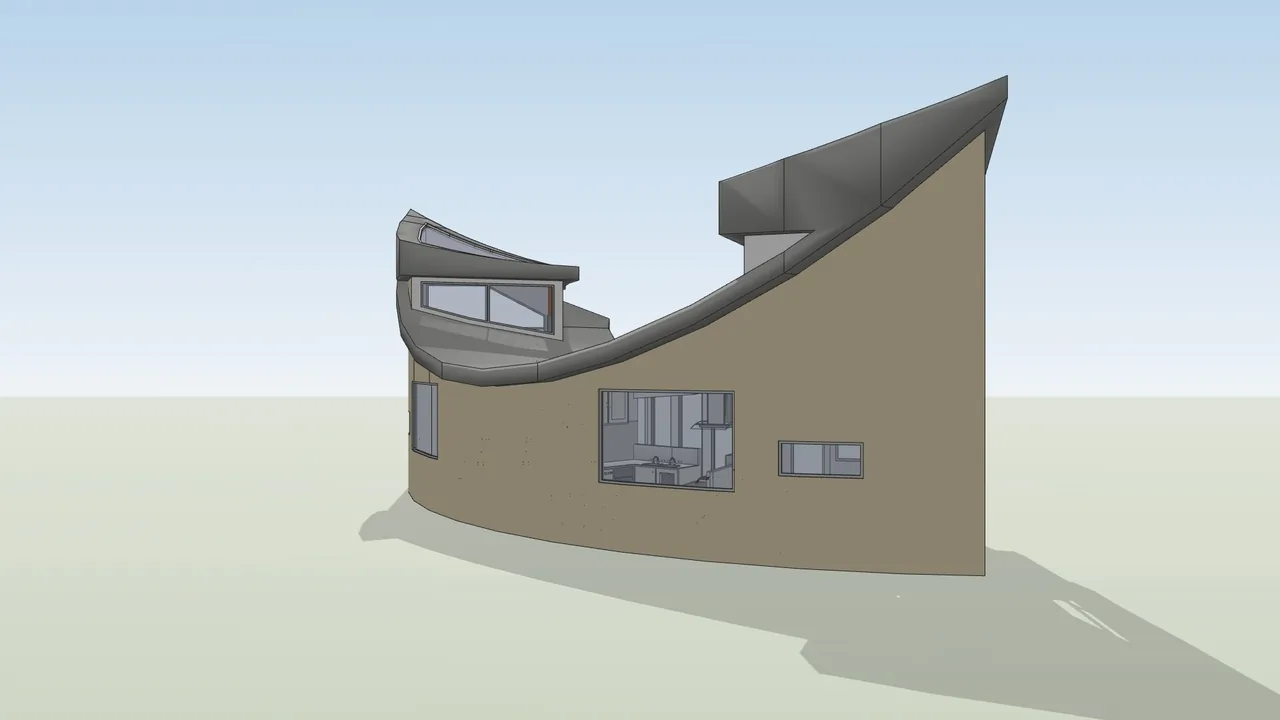
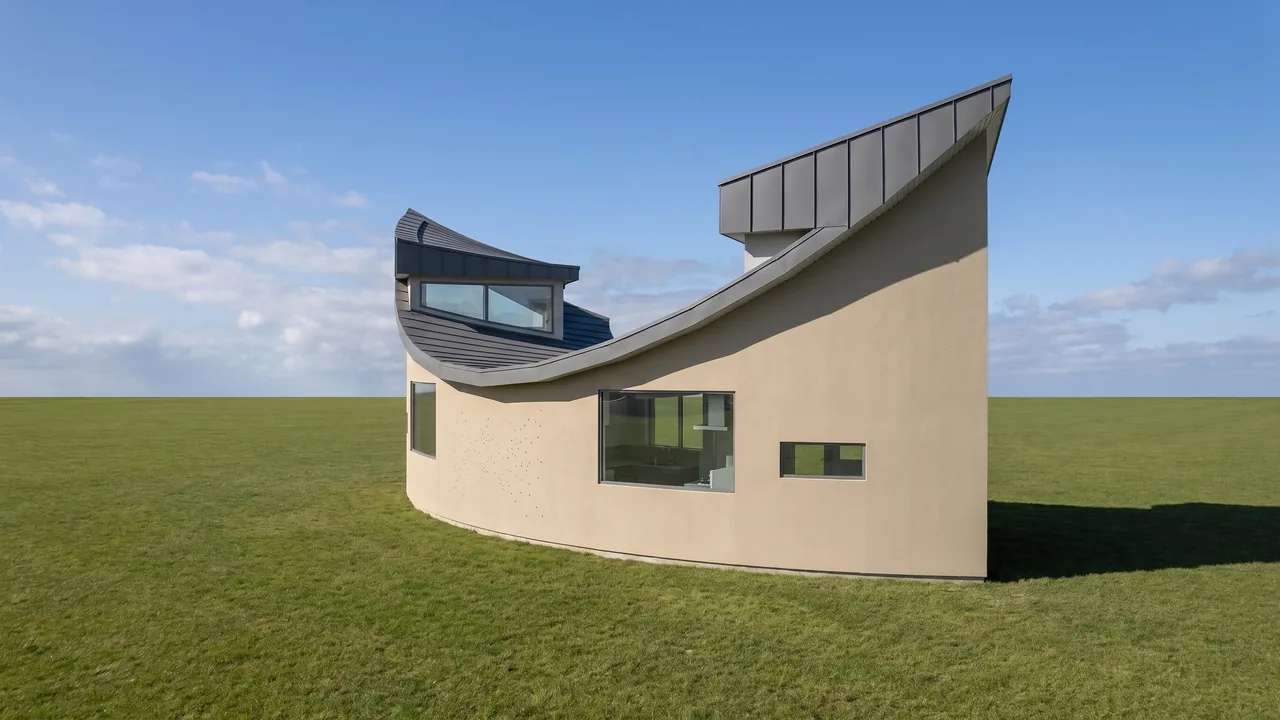
Before
After
Drag the slider to compare the original with the render.
What changed — and what stayed the same
- The curved wall and the roof stayed as modelled.
- The beige and grey became light render and metal.
- A lawn was added around the house.
- The camera of the Rhino view did not change.
How to do it
Get the same result with your own image
- 1
In Rhino, take a screenshot of the viewport in Shaded mode, or open the .3dm file directly in RendScene.
- 2
Choose the 3D model option and, if you want, describe the materials, style or time of day.
- 3
Generate, compare the options side by side and download the one you like in 2K or 4K.
Questions about this example
Arctic, Shaded and Rendered all work. Use a clean viewport without grid or gumball for the best result.
Yes. The images you create in RendScene are yours to use in presentations, proposals, listings and social media. Free trial renders carry a watermark; paid plans don't.
No. RendScene runs in the browser on any computer, and the rendering happens on our servers.


