A V-Ray alternative: realistic renders with nothing to set up
V-Ray gives full control and production quality, but every image needs lights, materials and settings, and the calculation runs on your computer. RendScene delivers the image with AI from a screenshot or model.
- Nothing to install: runs in the browser, on any computer
- No graphics card, no setting up lights and materials: the AI does it
- 5 free renders to try, no credit card
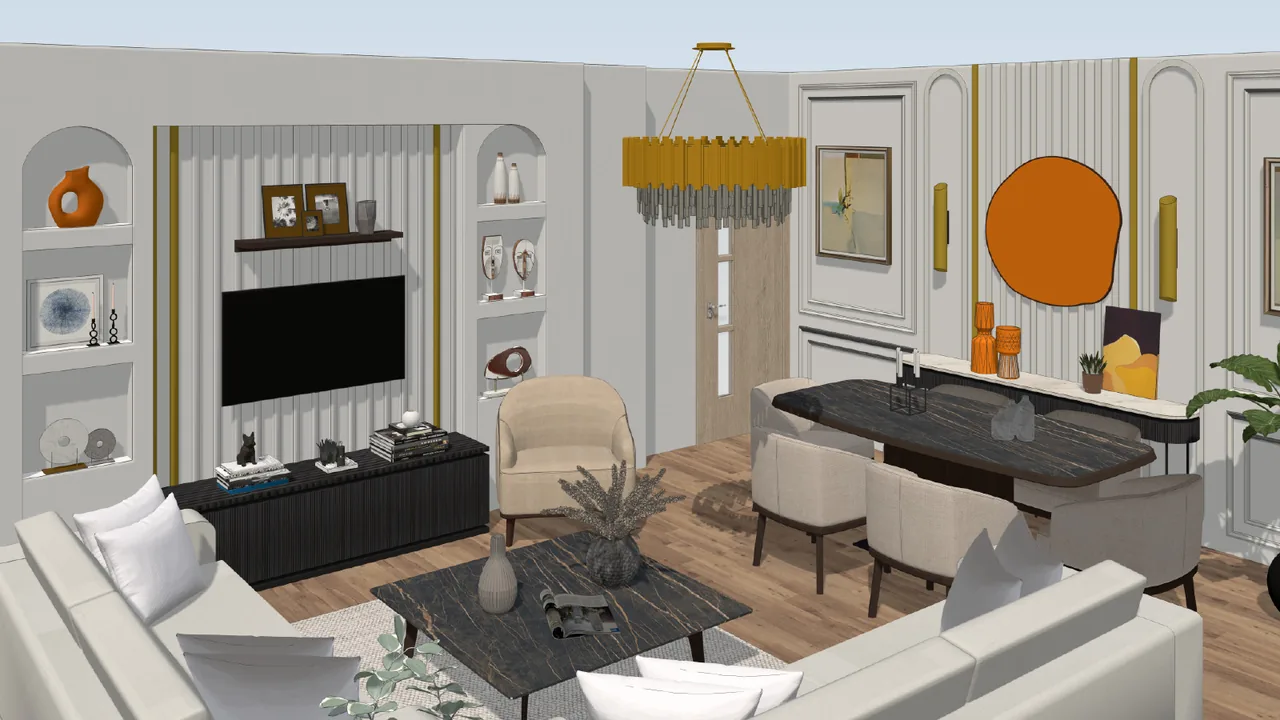
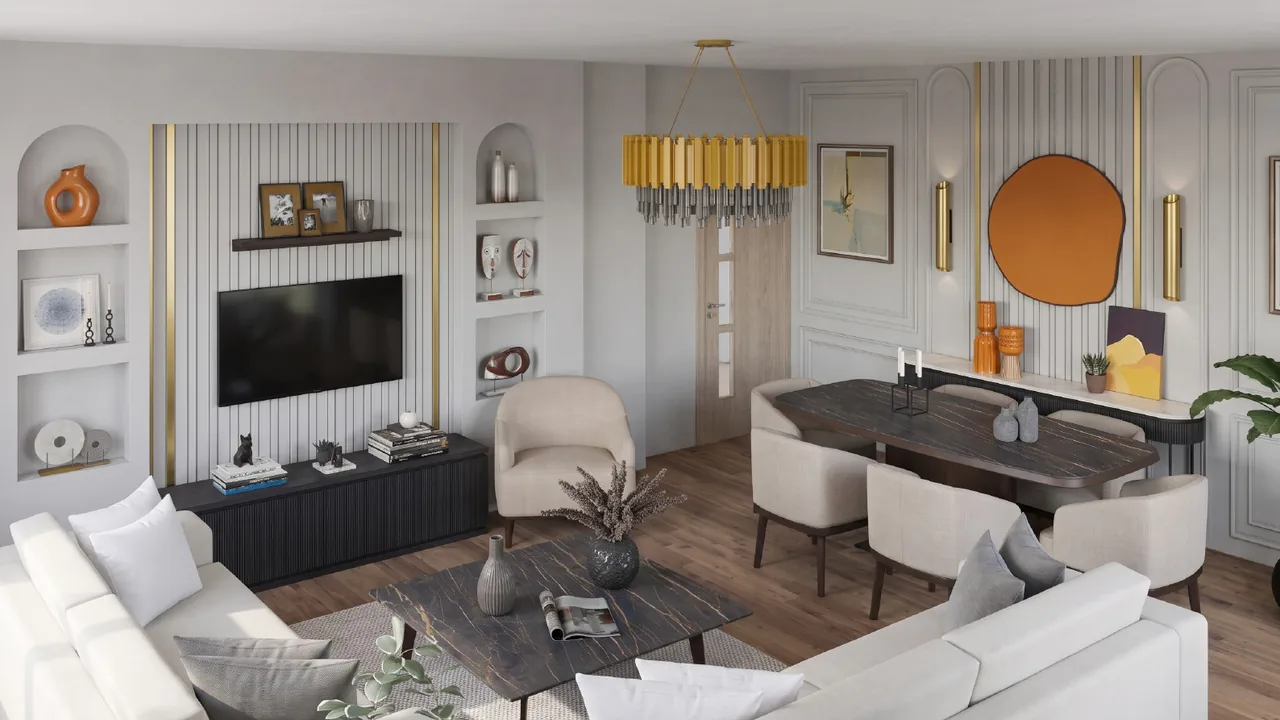
Image made in RendScene from a screenshot of the model.
What V-Ray is
V-Ray, by Chaos, is a photorealistic render engine installed as a plugin in SketchUp, Revit, Rhino, 3ds Max, Cinema 4D and Blender. Every image needs lights, materials and settings, and the calculation runs on your computer’s CPU or GPU.
RendScene vs V-Ray
V-Ray details taken from its official website. See what each one asks of you before the image is ready.
| RendScene | V-Ray | |
|---|---|---|
| What it is | AI rendering in the browser | Photorealistic production renderer (ray tracing) |
| Installation | None: opens in the browser | Install the plugin in SketchUp, Revit, Rhino, 3ds Max, Cinema 4D or Blender |
| Computer | Any, even a basic laptop; it doesn’t use your graphics card | Uses the CPU and/or GPU; for GPU, NVIDIA Maxwell or newer or AMD RDNA2+; 32 GB RAM recommended |
| Operating system | Windows, Mac, Linux and phone (in the browser) | Windows; on Mac, the SketchUp version (Revit is Windows-only) |
| How you get the image | Send a screenshot, photo, floor plan or 3D model and pick a style; the AI handles light and materials | You set up lights, materials, camera and render settings |
| Time to the first image | A few minutes, no scene setup | Calculated for each image; time depends on the scene, quality and computer |
| Edits and video | Describe or point at what to change and the AI redoes it; short videos from the render that you can join in sequence | Full: every material and light; animation with Chaos Vantage |
| Price | 5 free renders; plans from US$ 29/month (100 credits, about US$ 0.29 per render) | Yearly license costs more than RendScene’s starter plan, plus a PC with a graphics card; free trial |
V-Ray details checked on the official website (chaos.com/vray) on 24 Oct 2026. This information may change.
What changes in your day-to-day
With V-Ray
Install the plugin, have a powerful computer (32 GB RAM recommended), learn to set up lights, materials and render settings, and wait for each image to calculate on your computer.
With RendScene
Send a screenshot and get realistic images in a few minutes, ready for the client. Nothing to install, no graphics card to buy, no lighting and material setup to learn, on any computer and even on your phone. And it starts free, no credit card.
Try it without giving anything up
If you already use V-Ray, use RendScene for studies and style options in minutes, before spending time setting up the scene. Send a screenshot of the same model and compare.
Everything you can do with an image
Click any tile to see how it works.
Ten ways to start. One render you can present.

From CAD to final image in three clicks.
- 1Upload your project
A JPG or PNG exported from any CAD or 3D modeling software.
- 2Hit render
The AI keeps what you modelled and adds photorealistic materials and lighting. Where the model defines nothing, it proposes.
- 3Download in high resolution
Images ready for client presentations, your portfolio or print.
Simple pricing, built for studios.
Subscribe monthly or yearly. Credits every month, animation available on every paid plan and saved history.
For freelance architects and one-off projects.
For active studios with a steady flow of projects.
For firms with a team and high volume.
Subscriptions, monthly and yearly, renew automatically. You can cancel anytime from your account, with no minimum term and without contacting anyone: renewal stops at the end of the period you already paid for. The separate 7-day right of withdrawal, with a refund, still applies.
* Prices in US dollars. On international purchases, your bank may add taxes and currency conversion fees — the final amount on your statement can be slightly higher.
Credit packs, no subscription needed
One-time purchase, no renewal. Credits last 12 months, images come out unmarked, and everything is unlocked: 4K, Upscale and history.
Pack-only account: 1 GB of storage and images kept for 1 year. Nothing is deleted without an email warning first.
Plan credits do not roll over: they reset when the cycle turns. How credits work
Questions about RendScene and V-Ray
Compare with other software
V-Ray is a trademark of its respective owner. RendScene is not affiliated with or endorsed by it. Comparison based on public information from the official website, on the date shown. V-Ray is a trademark of Chaos.