Rhino to render: a curved facade from a line view
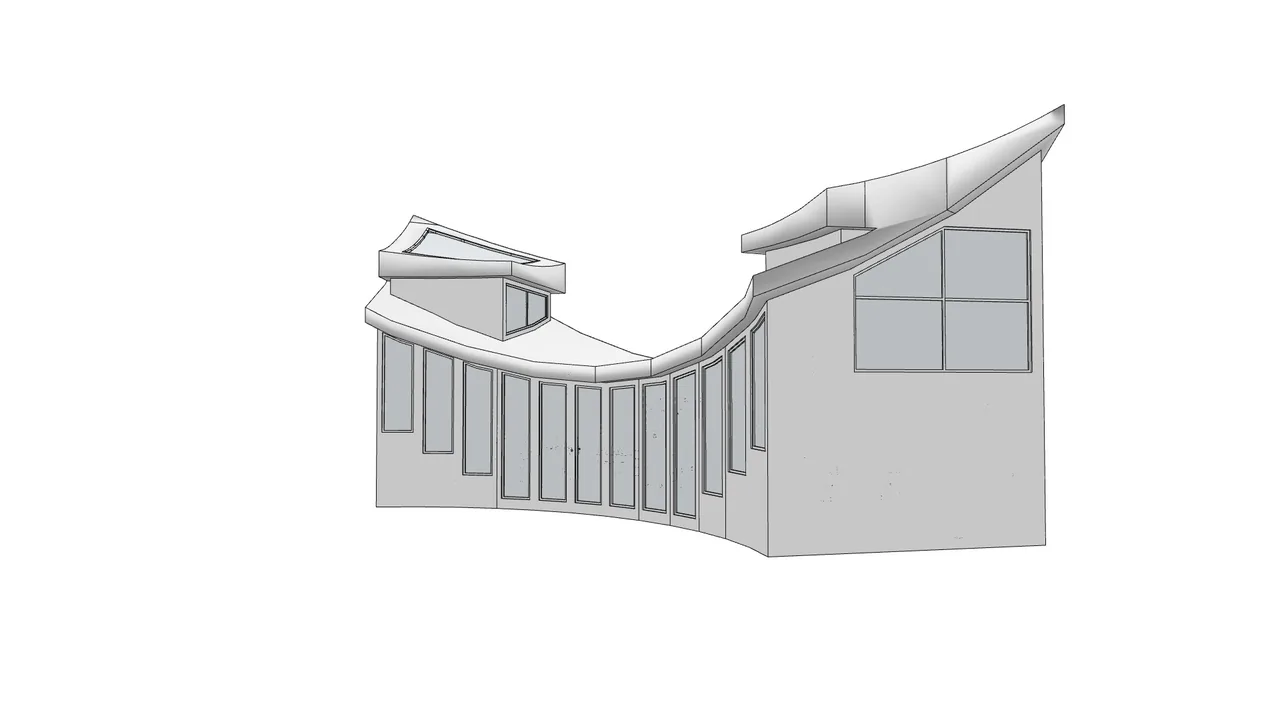
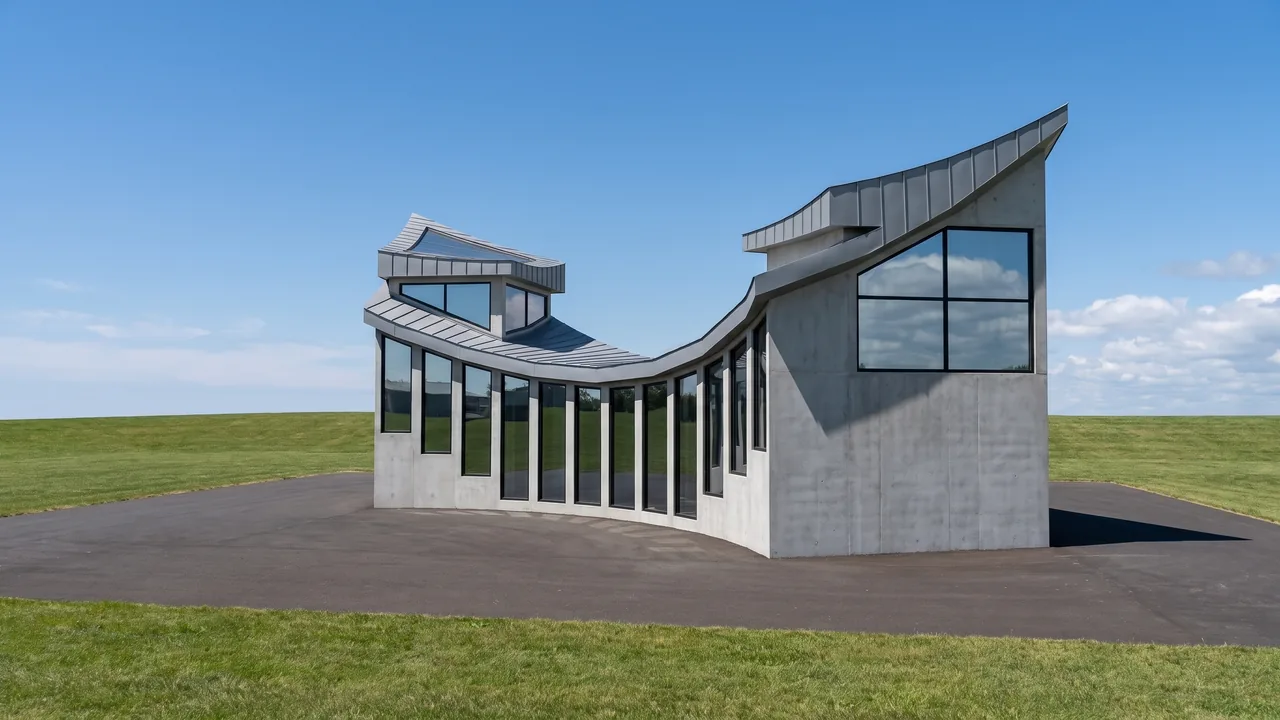
The input was a Rhino 3D line view of the arc-shaped facade with tall windows and a curved roof. RendScene kept the camera and the lines and turned them into exposed concrete, glass and a paved courtyard.
Input: 3D modelFeature: 3D model to render
Before
After
Drag the slider to compare the original with the render.
What changed — and what stayed the same
- The curve of the facade and the tall windows follow the lines.
- The line view became exposed concrete and glass.
- A paved courtyard was added in front.
- The camera did not move.
How to do it
Get the same result with your own image
- 1
In Rhino, take a screenshot of the viewport in Wireframe, Technical or Pen mode, or open the .3dm file directly in RendScene.
- 2
Choose the 3D model option and, if you want, describe the materials, style or time of day.
- 3
Generate, compare the options side by side and download the one you like in 2K or 4K.
Questions about this example
Yes. Line views work when the edges are clear; RendScene reads the forms and adds the materials.
Yes. The images you create in RendScene are yours to use in presentations, proposals, listings and social media. Free trial renders carry a watermark; paid plans don't.
No. RendScene runs in the browser on any computer, and the rendering happens on our servers.


