Prairie-style house: from a 3D model to a photorealistic exterior
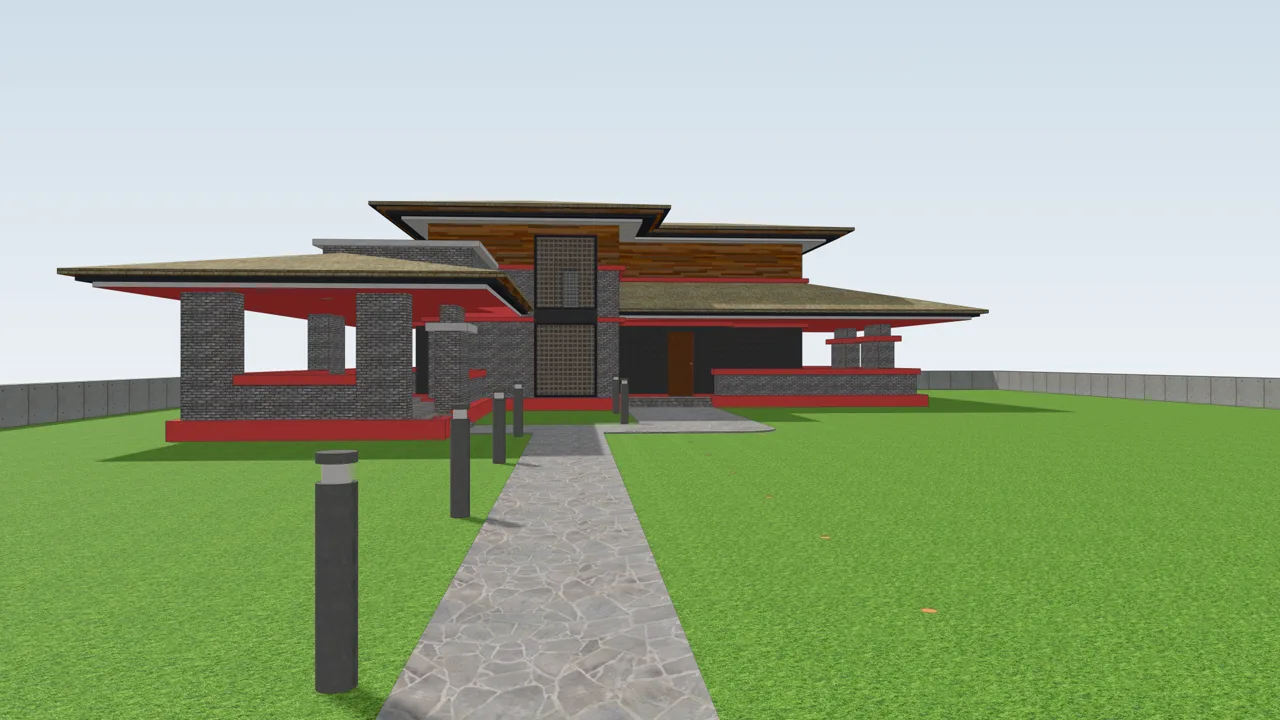
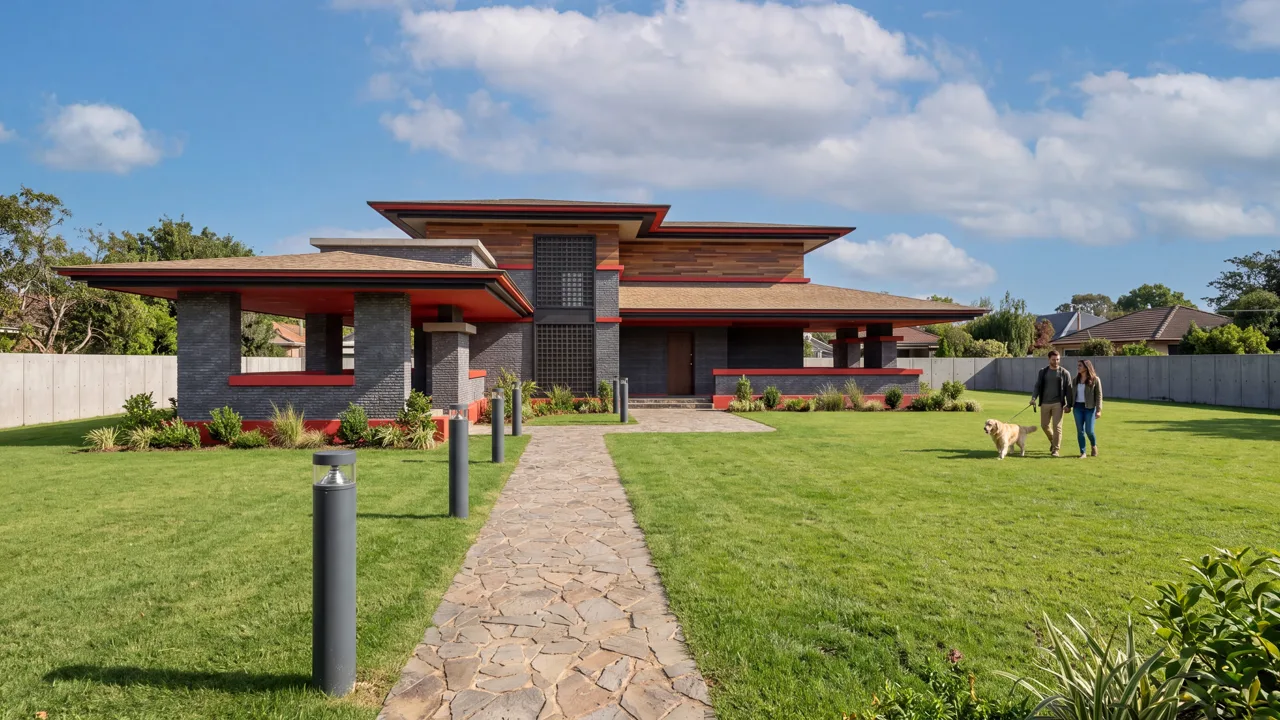
The input was a 3D view of a prairie-style house with grey brick walls, long low eaves, red trim, a wood-clad upper floor and a stone path lined with bollard lights. RendScene kept the house, the path and the camera, and turned the empty lawn into a lived-in scene.
Input: 3D modelFeature: 3D model to render
Before
After
Drag the slider to compare the original with the render.
What changed — and what stayed the same
- The low roofs, the long eaves and the red trim follow the model exactly.
- Grey brick, wood cladding, roof shingles and stone paving now look like real materials.
- Planting along the house, a couple walking a dog and neighbouring houses bring the scene to life.
- A blue sky with clouds replaced the plain model background.
How to do it
Get the same result with your own image
- 1
Take a screenshot of your 3D view, or open the model file directly in RendScene and pick the view.
- 2
Choose the 3D model option and, if you want, describe the materials, style or time of day.
- 3
Generate, compare the options side by side and download the one you like in 2K or 4K.
Questions about this example
Yes. Around the building RendScene can add planting, people, neighbouring houses and sky, while the house itself stays as modelled. If you prefer an empty scene, describe it before generating.
Yes. The images you create in RendScene are yours to use in presentations, proposals, listings and social media. Free trial renders carry a watermark; paid plans don't.
No. RendScene runs in the browser on any computer, and the rendering happens on our servers.


